New Features and Enhancements
Work Order
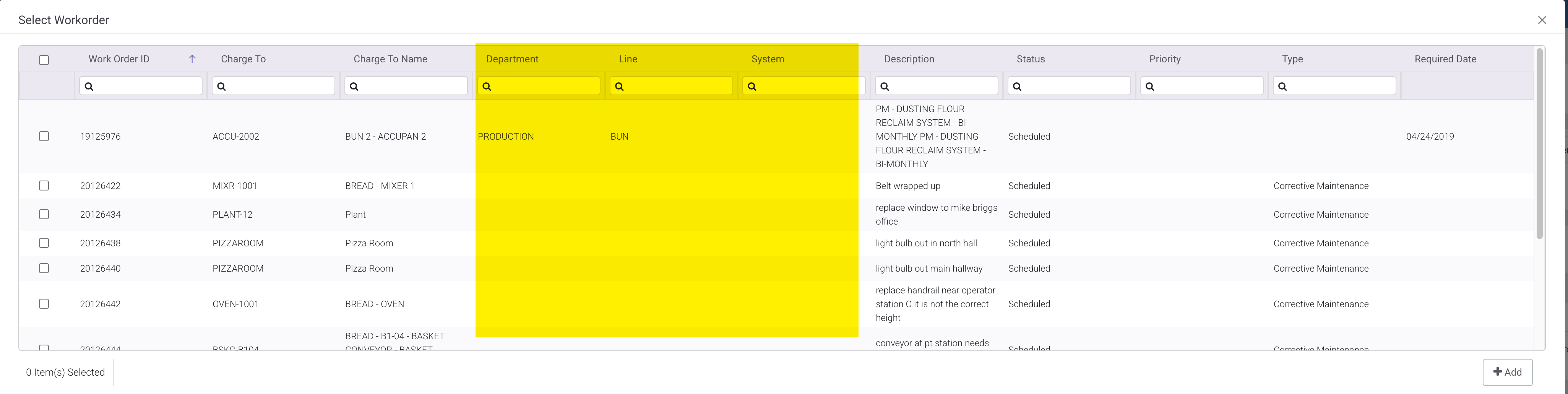
Add Asset Group 1, 2, and 3 to Work Order Planning
Added Asset Group 1, 2, and 3 to the Add Work Order grid .
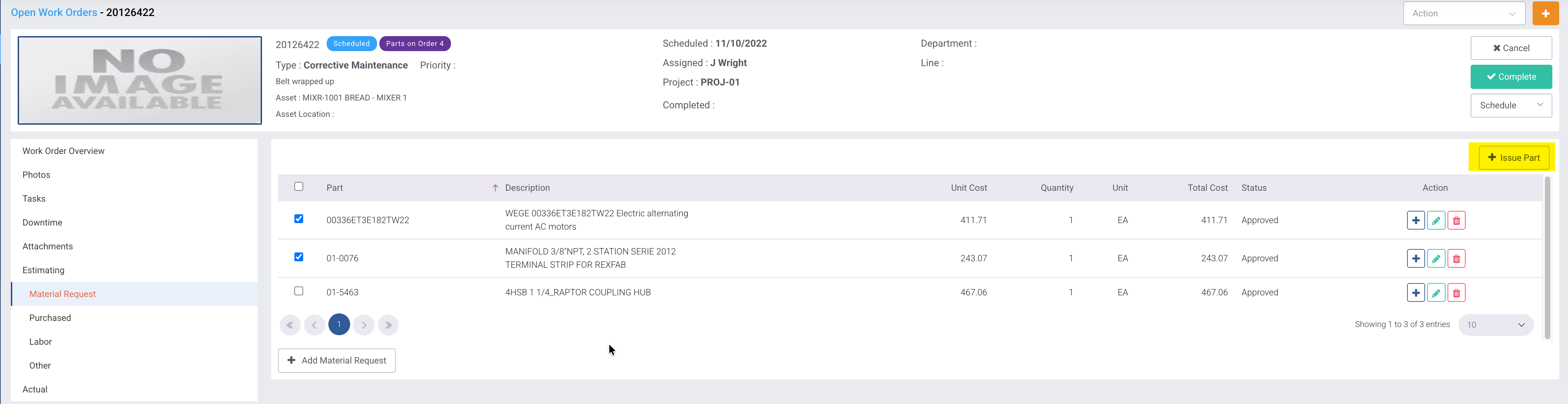
Issue Material Request Line Items
Added the ability to issue items on the work order material request. The function allows you to issue stock and non stock parts.
Preventive Maintenance
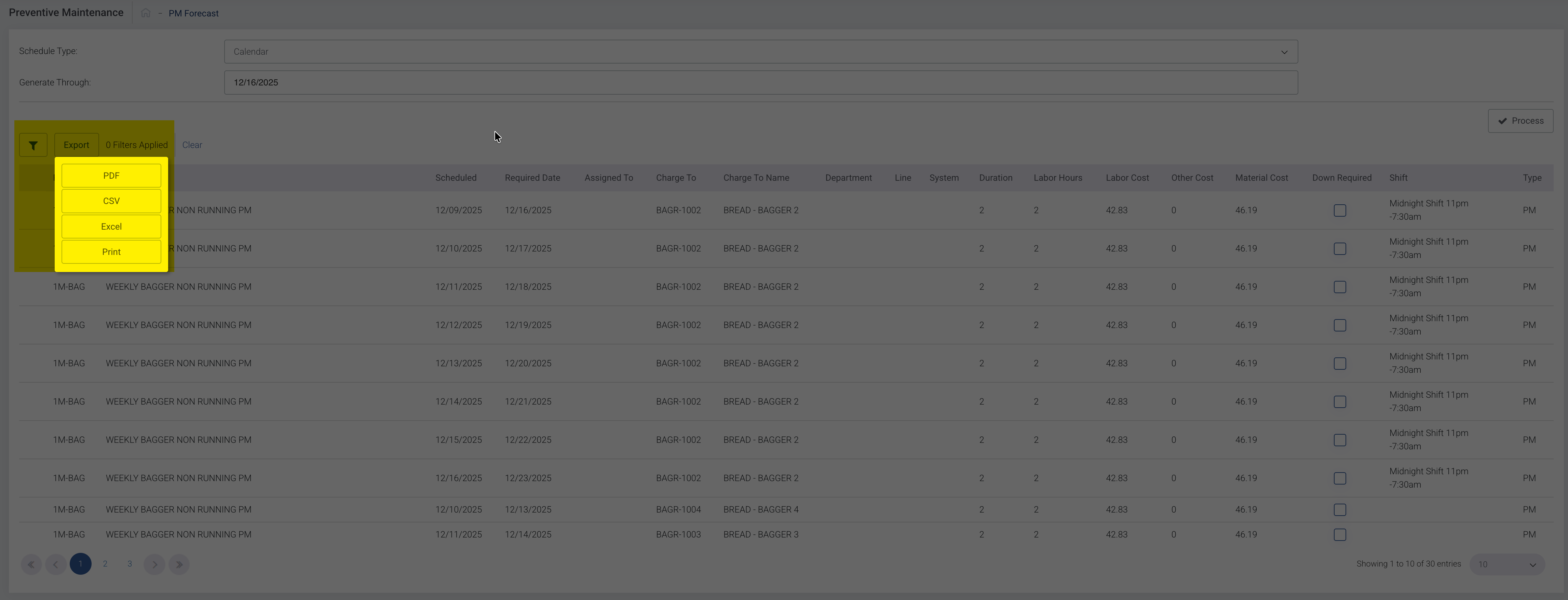
Change Export Options on PM Forecast Grid
Replaced the Export options with the following:
PDF
CSV
Excel
Print
Inventory
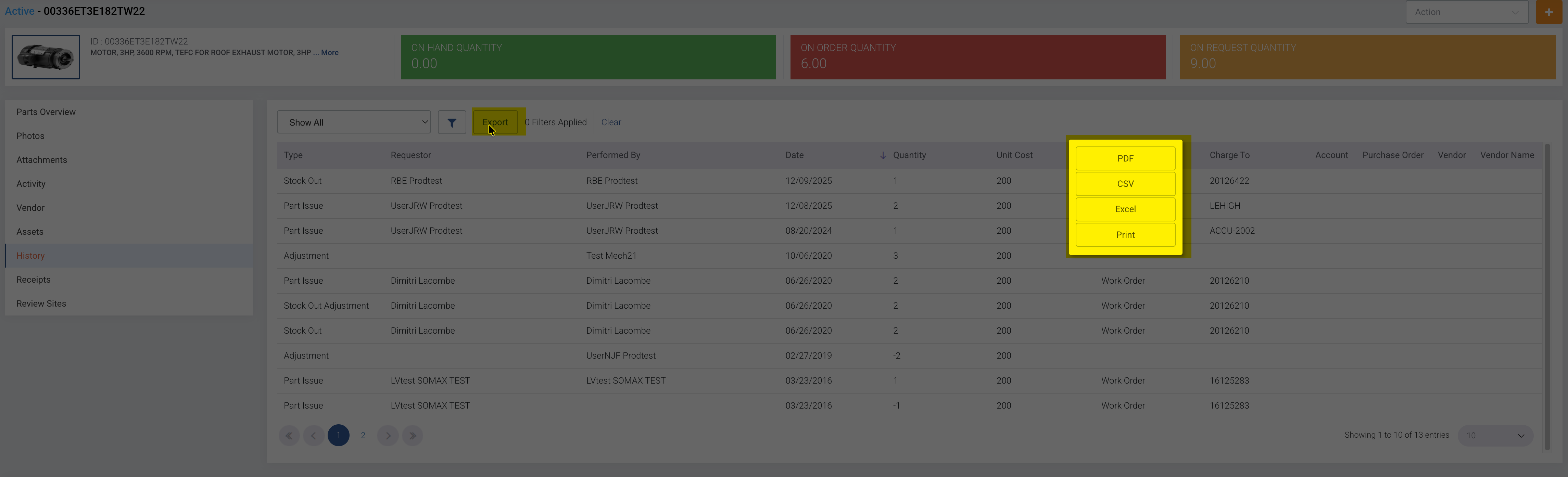
Change Export Options on Part History Grid
Replaced the Export options with the following:
PDF
CSV
Excel
Print
Purchasing
Punchout Purchase Request Auditing
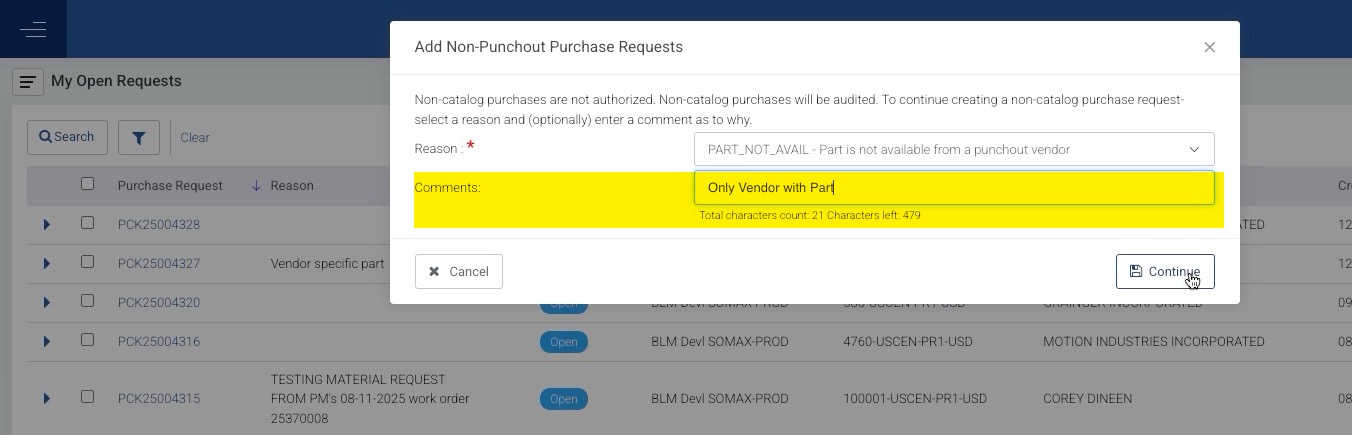
Added a system switch to allow the tracking of when a user does not use punchout to make a purchase. When the switch is "on” and the user answers “No” to the Punchout question – a new pop-up page will be displayed with a message, a drop down, a field where comments can be entered and two buttons (Cancel and Continue).
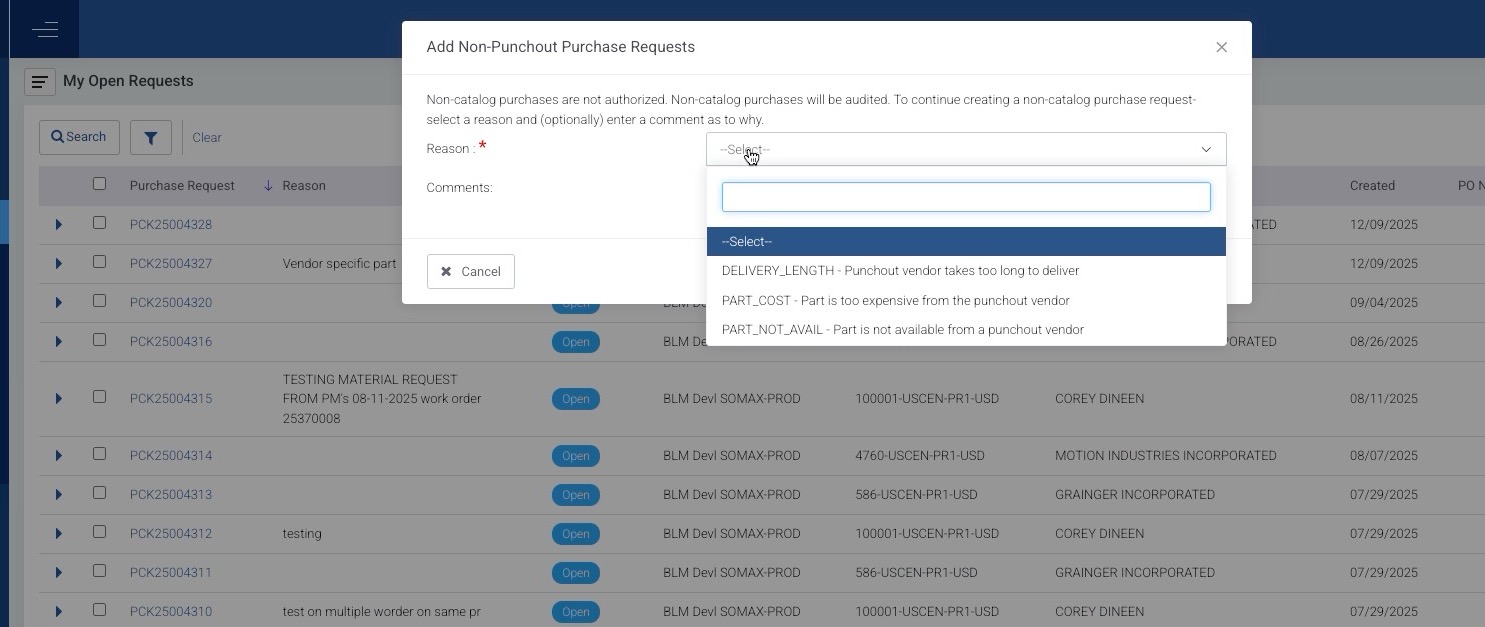
The message displayed will be: “Non-catalog purchases are not authorized. All non-catalog purchases will be audited. If you continue creating a non-catalog purchase – select a reason and (optionally) enter a comment as to why you are creating a non-catalog purchase request.”
Invoice Match
SOMAX has made a number of changes to the Invoice Match module to allow you to view more details about the invoice. This includes:
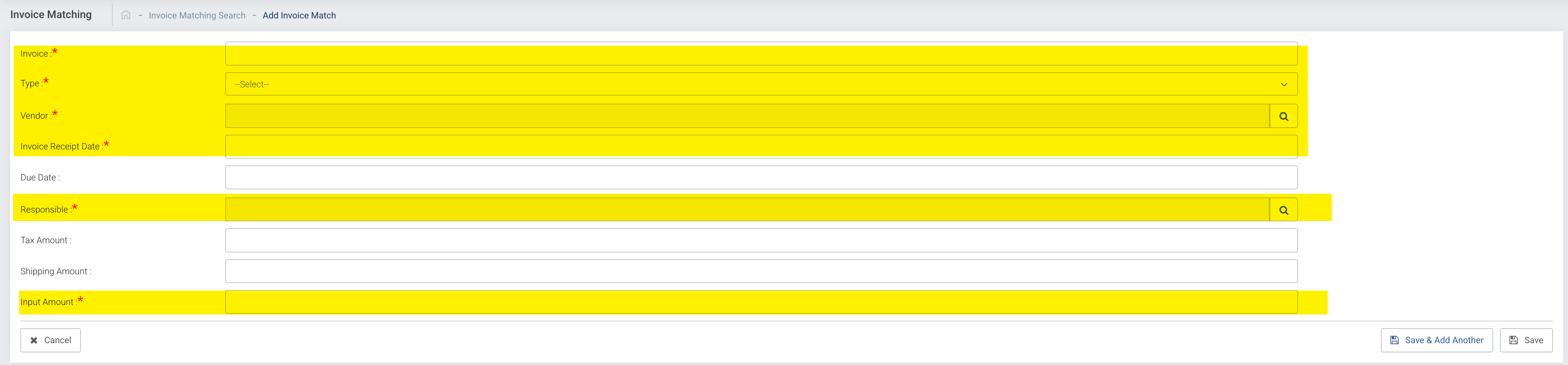
Change required columns to add an Invoice
Allow negative values in unit cost when adding a receipt

Change the Invoice Number Validation - Change the validation to Vendor + Invoice Number. This combination would need to be unique. In some cases, a client may receive an invoice that has the same number from different vendors.
Reports and Analytics
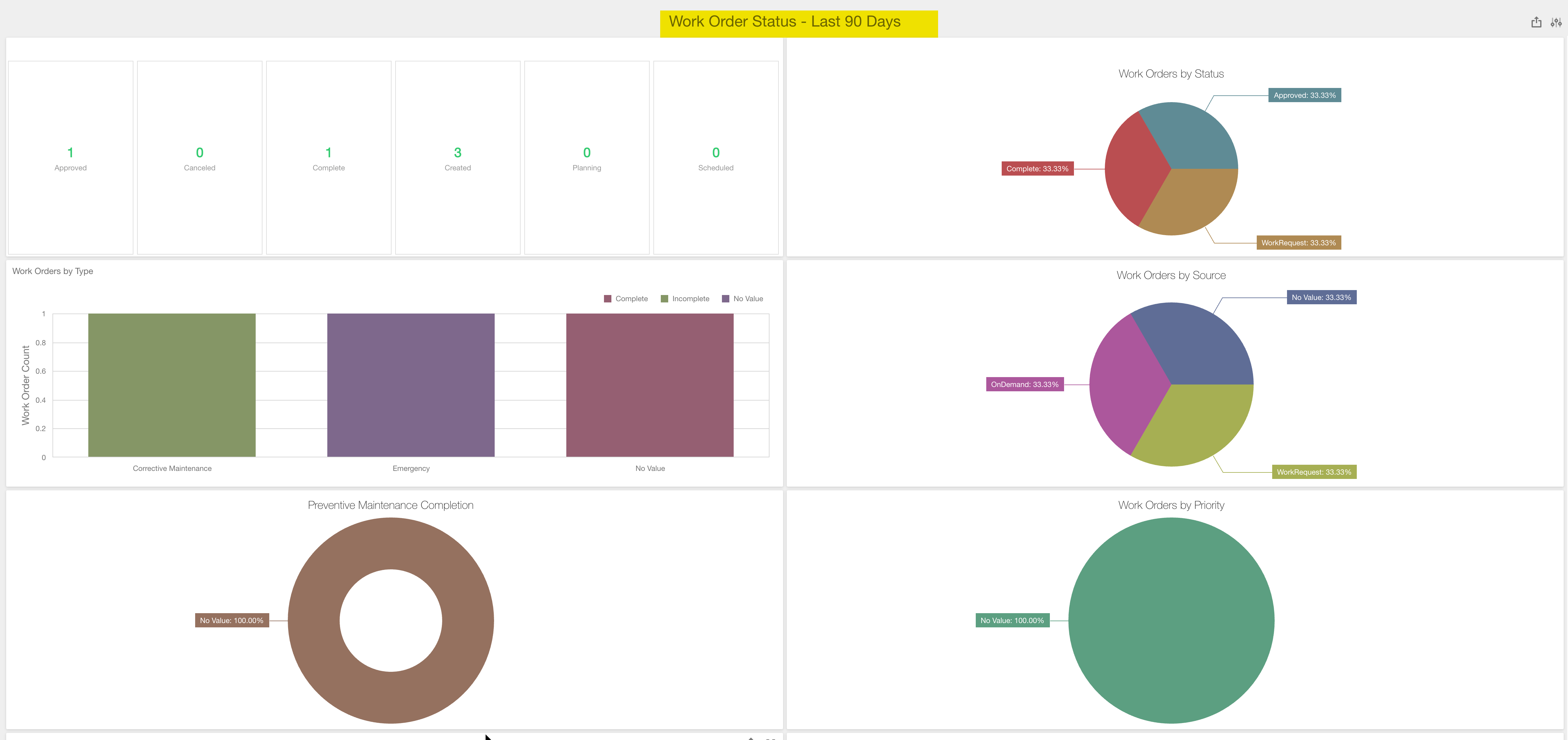
Changes to Work Order Status Dashboard
The Dashboard will prompt you for a Creation Date range before loading data.
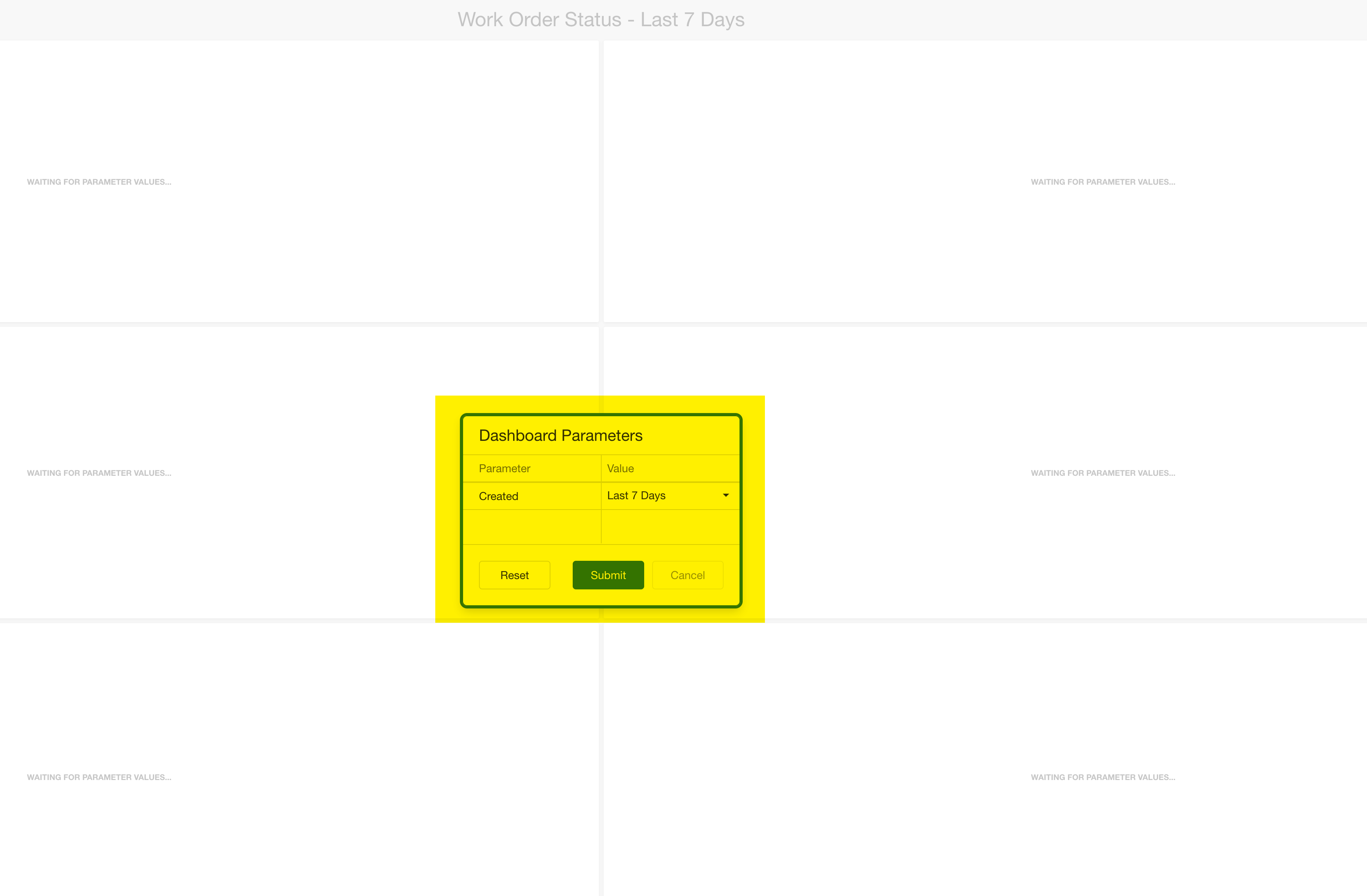
Dashboard will display parameter in the title.
New Reports
Four new reports were added in this update:
- Purchasing - Punchout Auditing
- Purchasing - Punchout Auditing Details
- Enterprise - Punchout Auditing
- Enterprise - Punchout Auditing Details
Bug Fixes and Small Enhancements
Assets
- Added Asset Tree Search to mobile browser pages
Added Status to Asset Children grid
Work Orders
- Technician's Workbench - Corrected situation where preventive maintenance work orders are not displaying work order type
- Approval Workbench - Corrected situation when an assignment is made a notification is not sent to assigned user
- Labor Scheduling - Corrected situation when adding work orders to calendar, the Schedule Hours do not update
- Cancel Event Log - Added Cancel Reason to log record
- Planning - Removed ability to set work order to Planning if the work order is in the status of Scheduled
Preventive Maintenance
- PM Assignments- Corrected situation where the Personnel lookup does not show all records that can be scheduled to a PM Work Order
- Change to PM Master From - Added new section to show all Assigned Users and Estimated Hours for each scheduling record
Parts
- Added Manufacturer ID to Part Search in various Mobile browser pages
- Changed Title of Activity widget to say History
Purchasing
- Purchasing Shopping Cart - Corrected situation where shopping cart is displaying the wrong Part Issue Unit
- Punchout Shopping Cart - Corrected situation with calendar lookup when changing the number of lines on shopping cart
- Receipts - Corrected situation where user selects all line items, then selects Accept All, and tries to Receive All line items
System
- Added Security Profile Name and Description - Added Security Profile Name and Description to User Management Search grid
Was this article helpful?
That’s Great!
Thank you for your feedback
Sorry! We couldn't be helpful
Thank you for your feedback
Feedback sent
We appreciate your effort and will try to fix the article