New Features and Enhancements
Asset
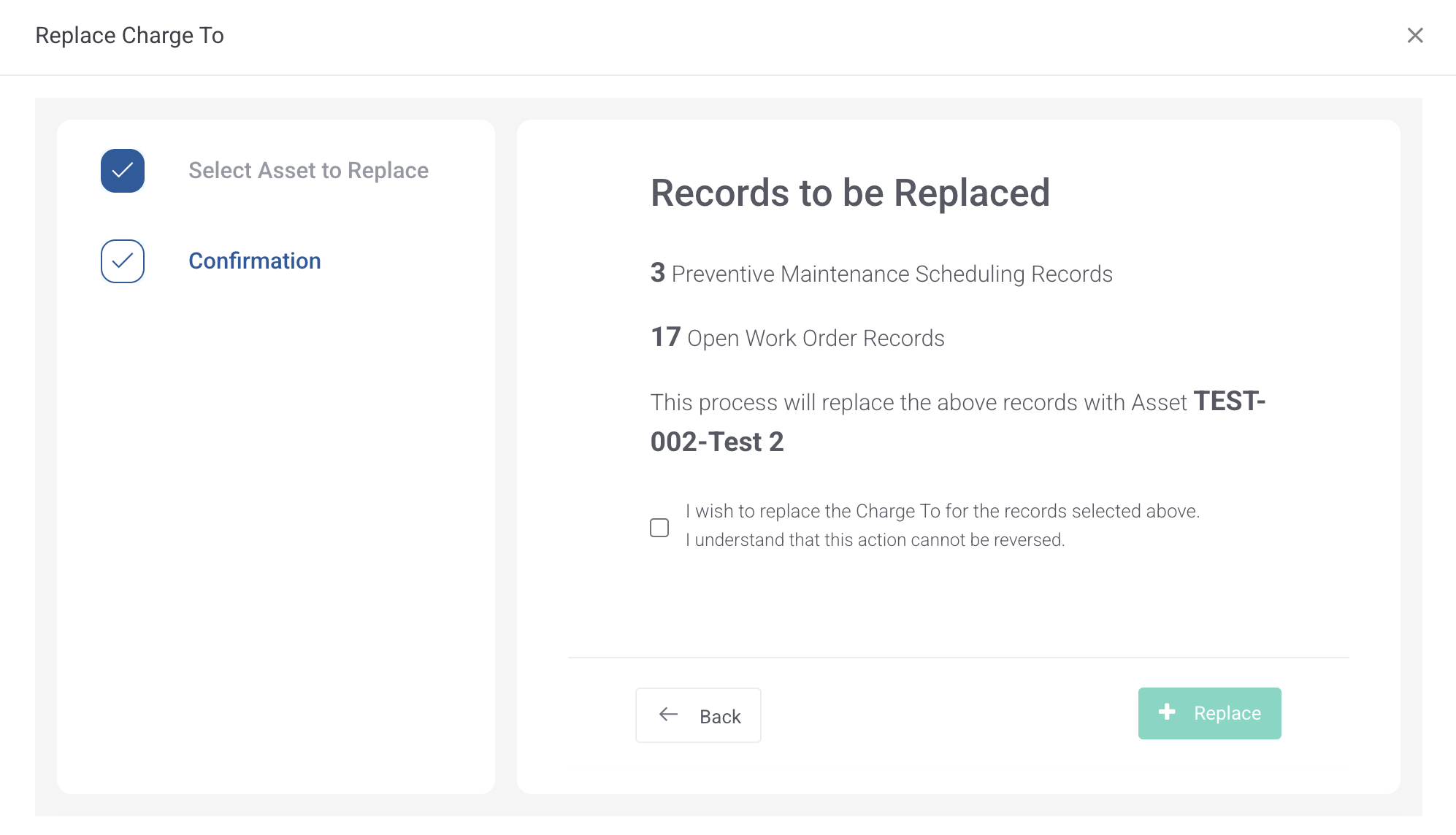
Replace Asset in Work Order and Preventive Maintenance
Added function to replace the Charge To value on preventive maintenance scheduling and open work order with a user selected asset.
Work Order
See Parts Issued from Purchasing Receipts on Actual Parts Grid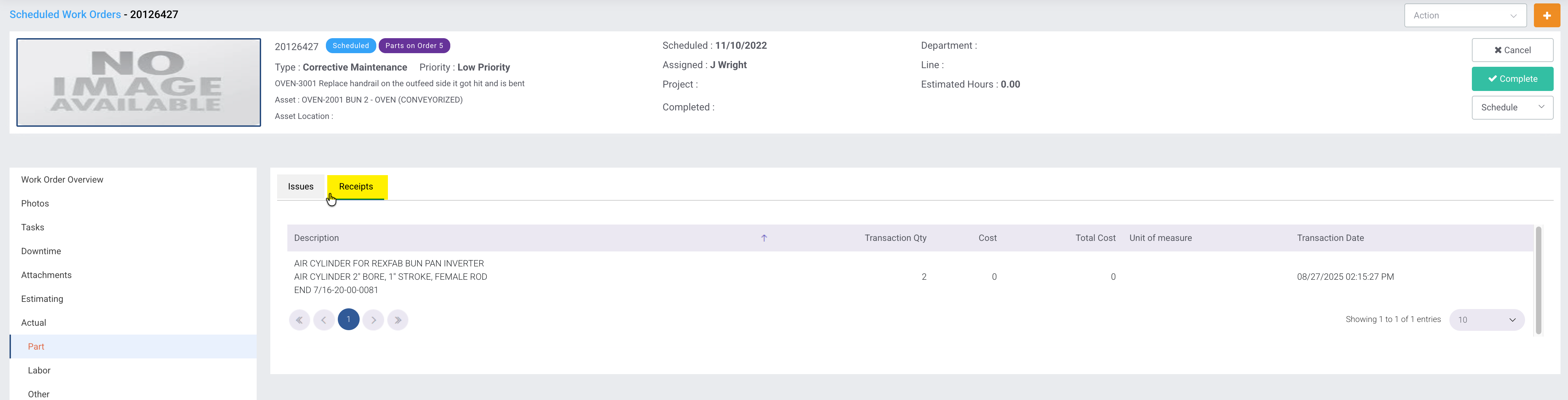
Added ability to freeze the header/footer on the Work Order Search grid
Added a checkbox to allow the user to fix the position of the header/footer of the work order search grid.
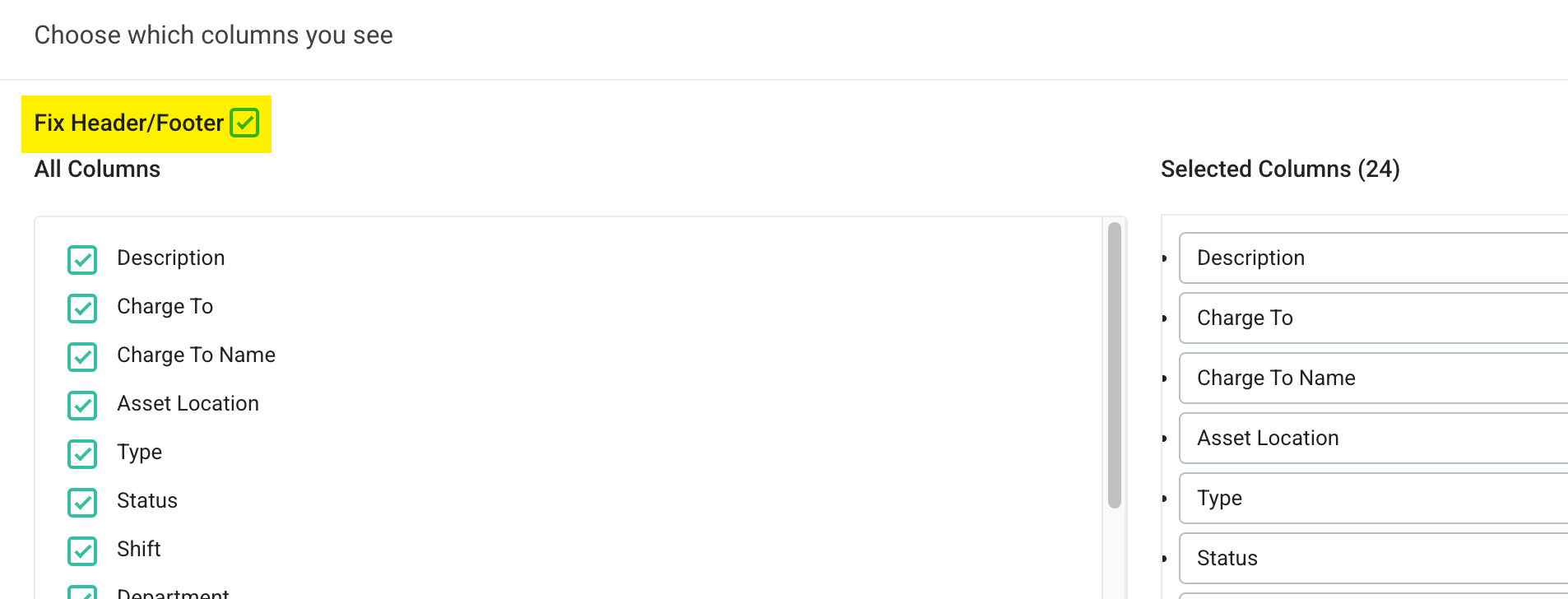
When this box is checked, the header and footer areas of the grid will remain in place and only the data will move while navigating the grid.
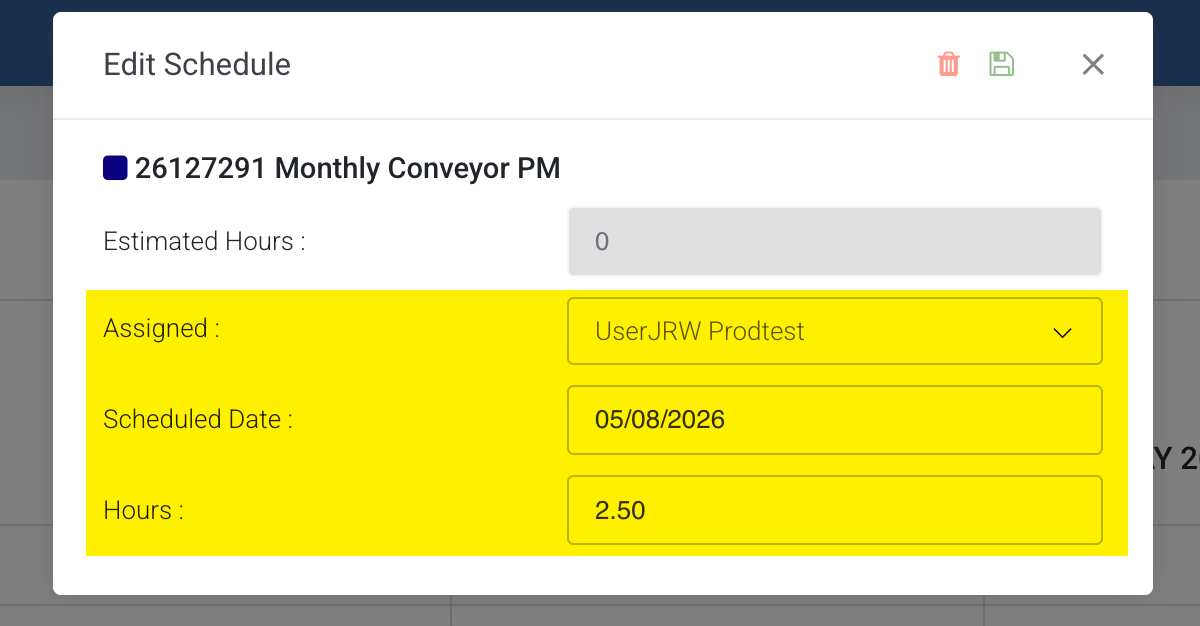
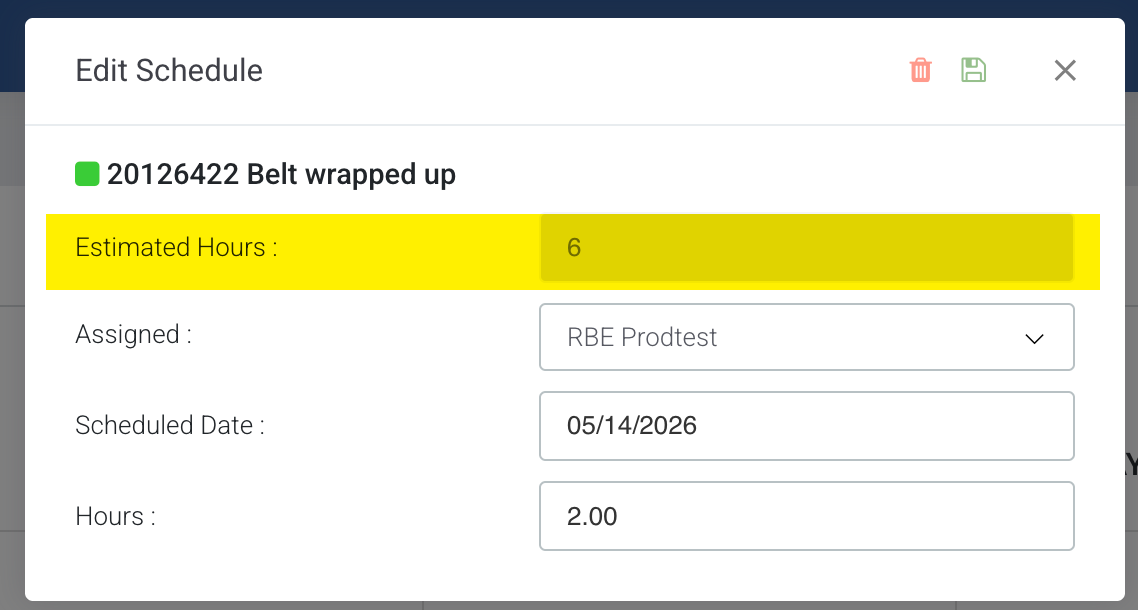
Added ability to reassign scheduling record on Labor Scheduling Calendar
Added the ability to reassign an existing scheduling record in the Labor Scheduling Calendar view. When you click on an existing scheduling record, the popup allows you to change the assigned user, schedule date, and schedule hours.
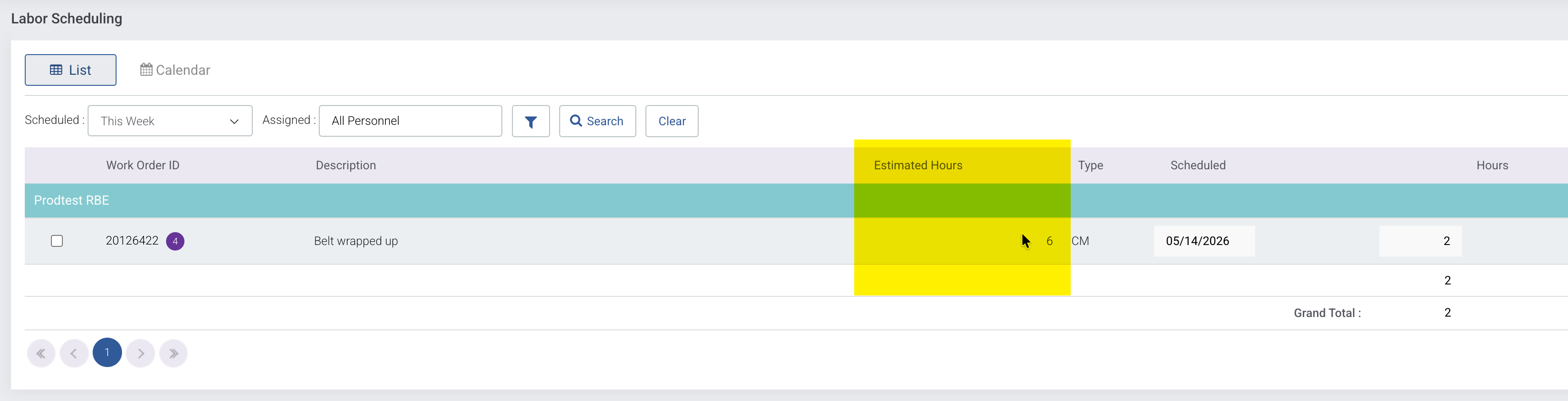
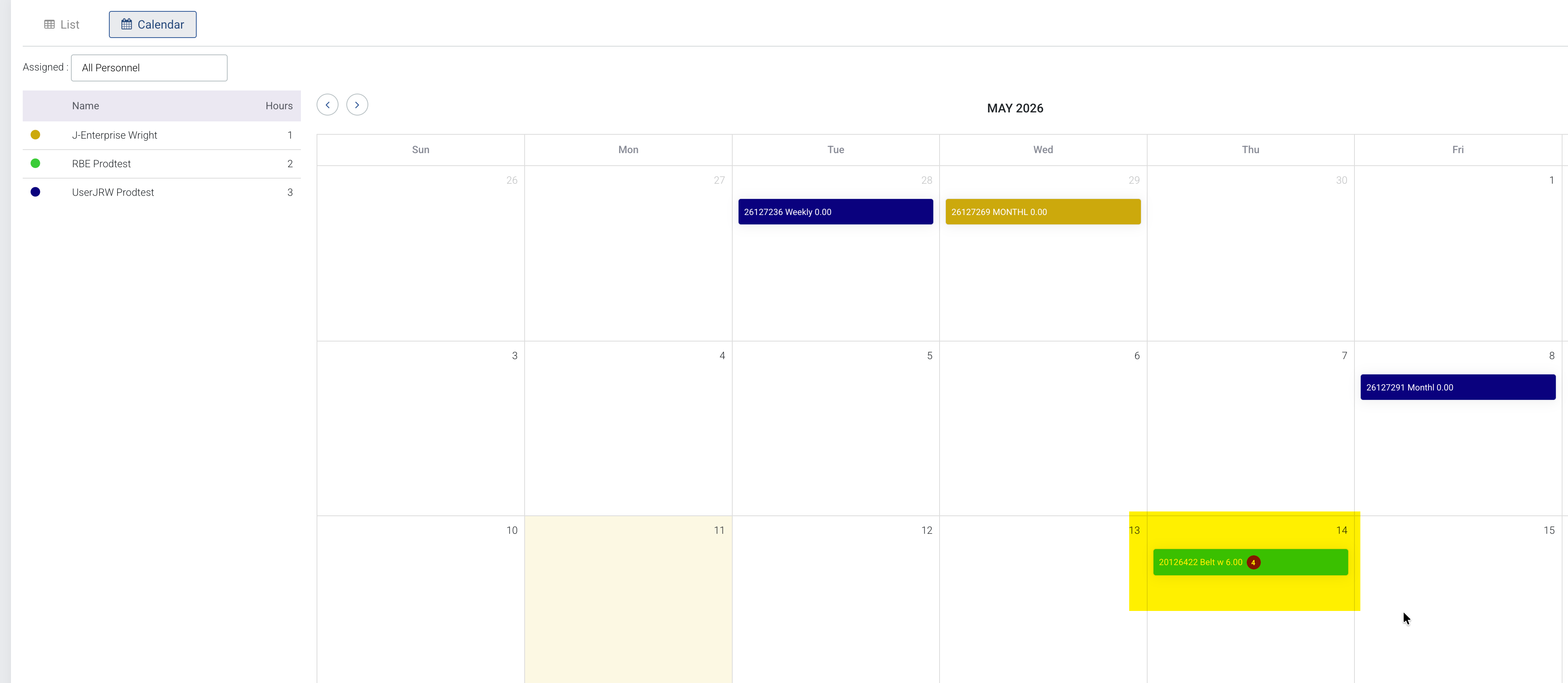
Display Total Estimated Hours on Work Order and Labor Scheduling
Made changes to display the Total Estimated Hours on the following:
Work Order Search Grid

- Work Order Detail Page

- Labor Scheduling List
- Labor Scheduling Calendar
- Labor Scheduling Calendar Edit Popup
Purchasing
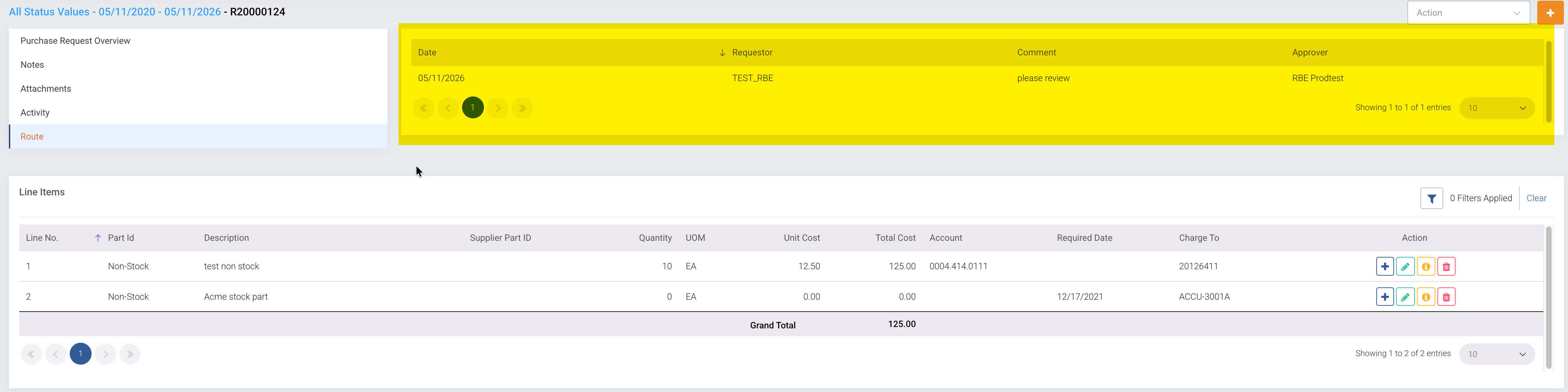
Display Purchase Request Route Records
Added a page on Purchase Request Detail to display Purchase Request Route records.
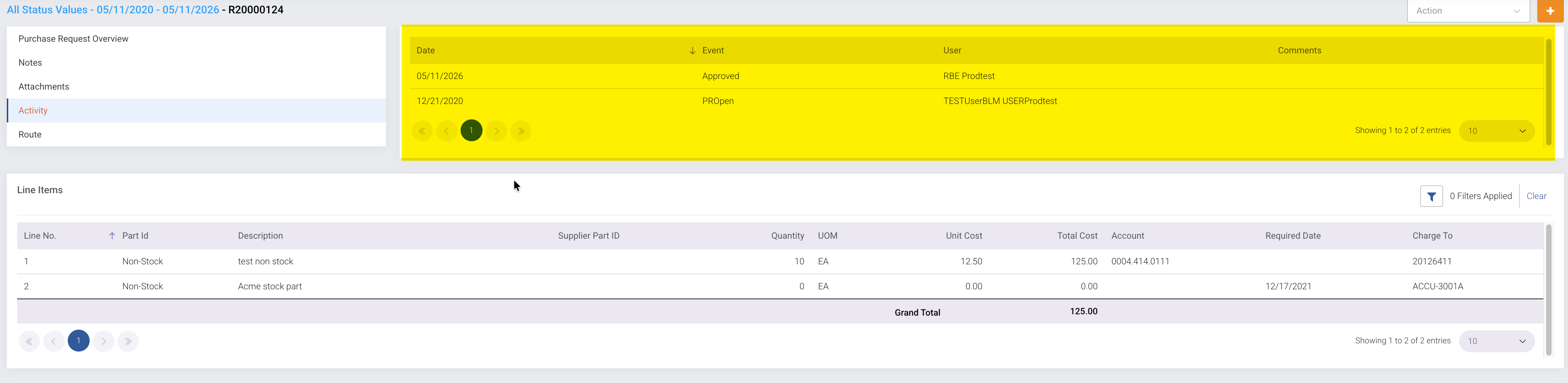
Display Purchase Request Activity Records
Added a page on Purchase Request Detail to display Purchase Request Activity records.
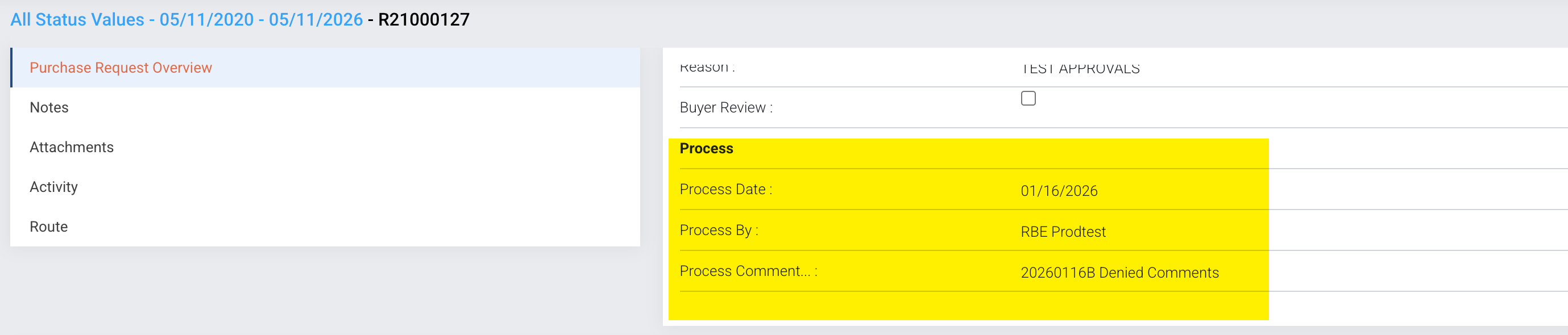
Display Purchase Request Process Comments
Added columns to show Approve/Deny Date, User, and Comments to Purchase Request View widget.
Purchasing Instructions
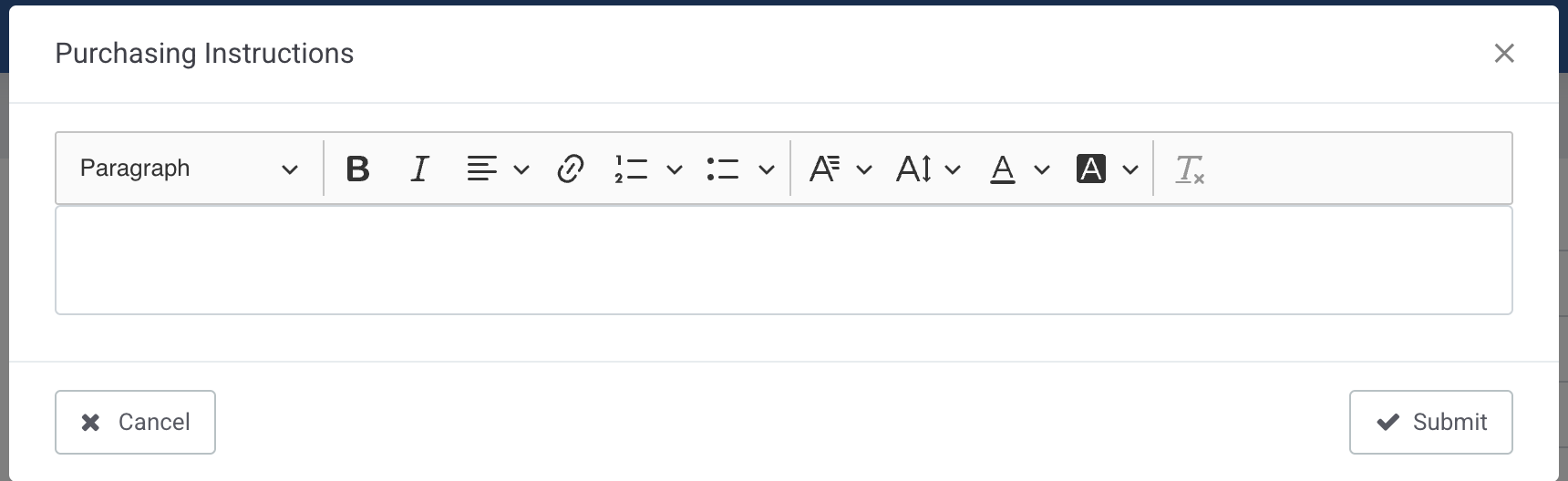
Added ability for user to add Notes or Instructions for each line item of a purchase request or purchase order.

When the user clicks the Information button, a popup will be displayed to allow the user to enter notes or instructions for the selected line item.
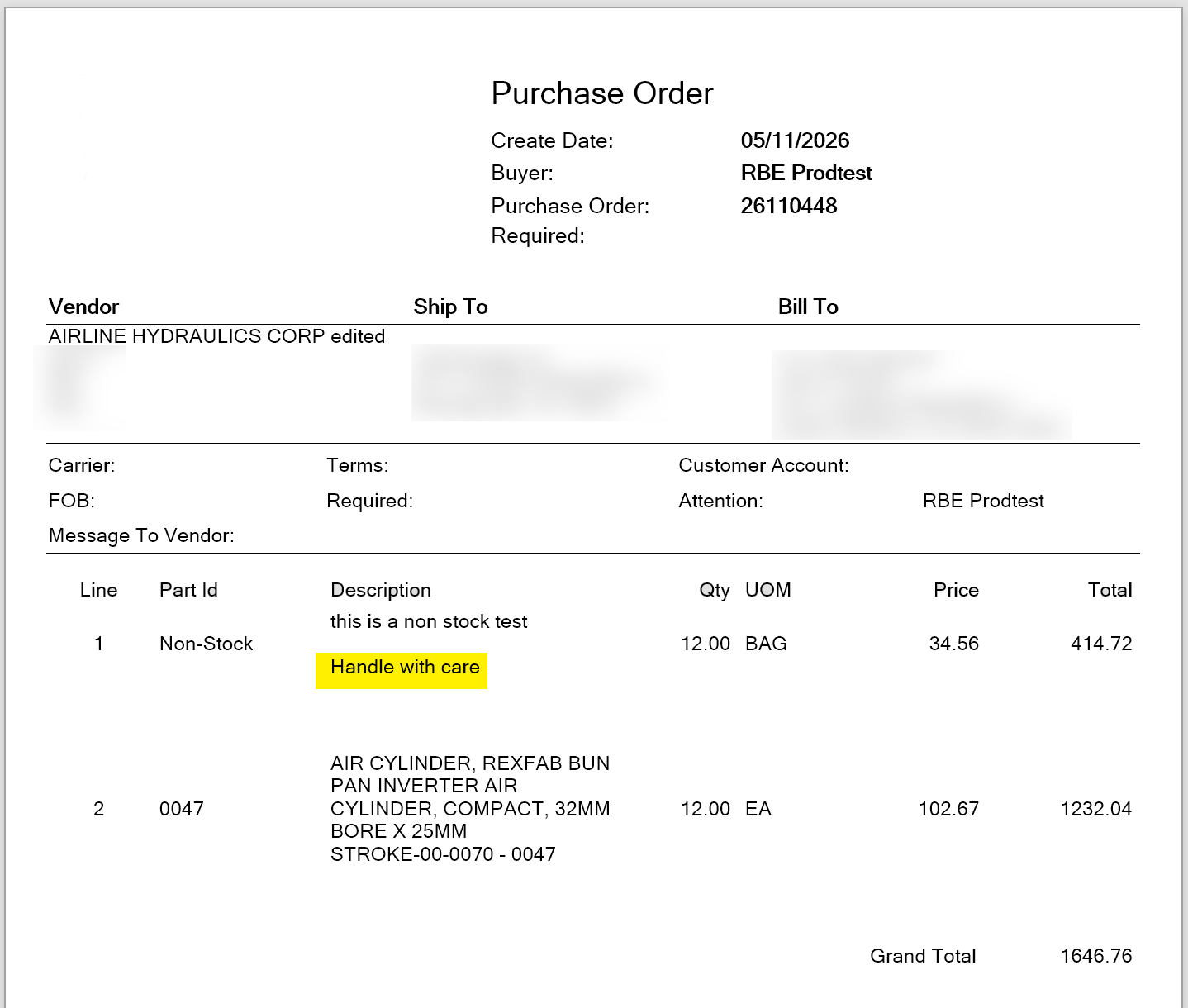
These instructions will print out on the Purchase Order form.
Also, the user can enter purchasing instructions on parts.
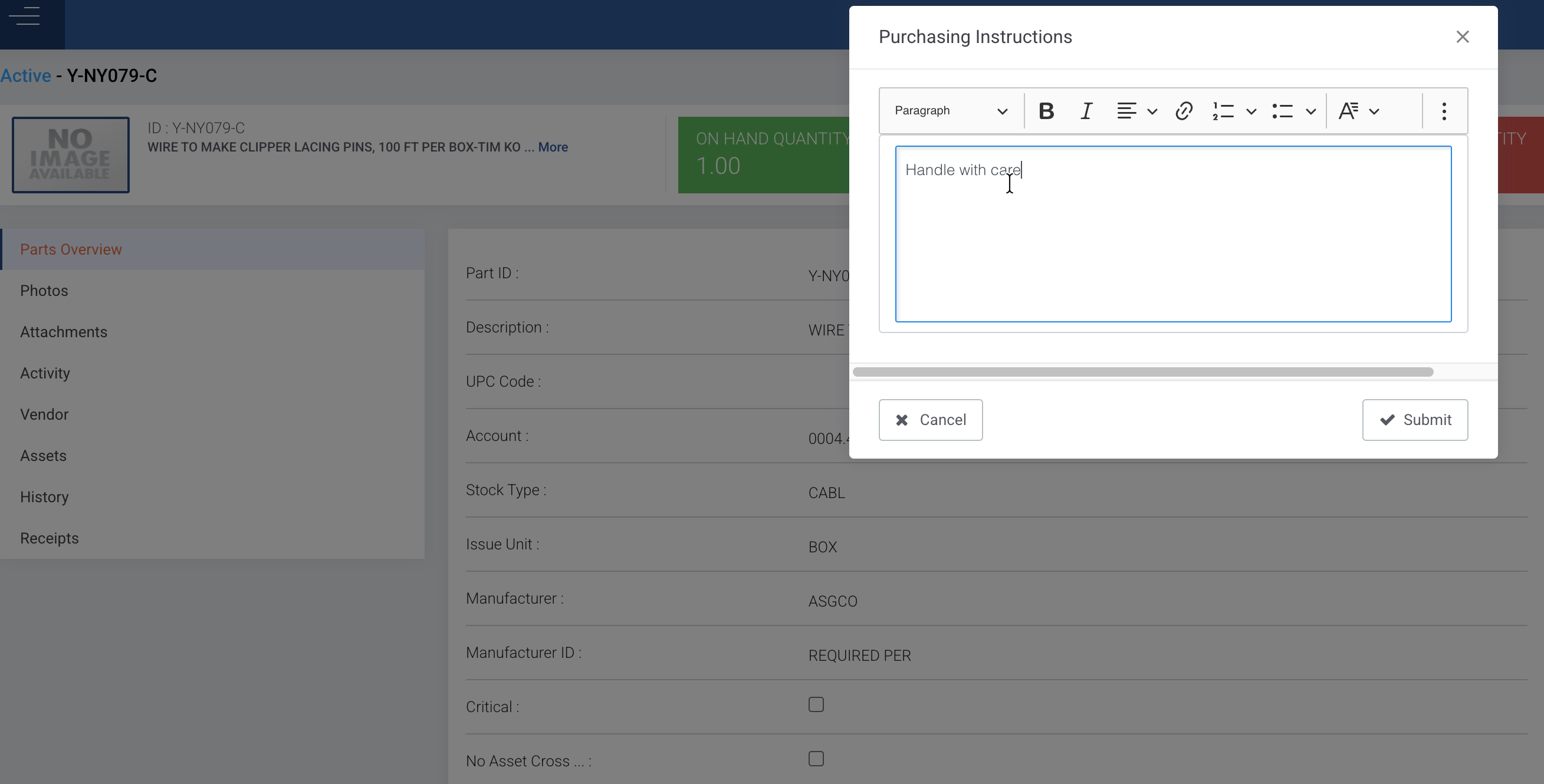
These instructions will carry over to a Purchase Request or Order when ordering the particular part.
Invoice Match
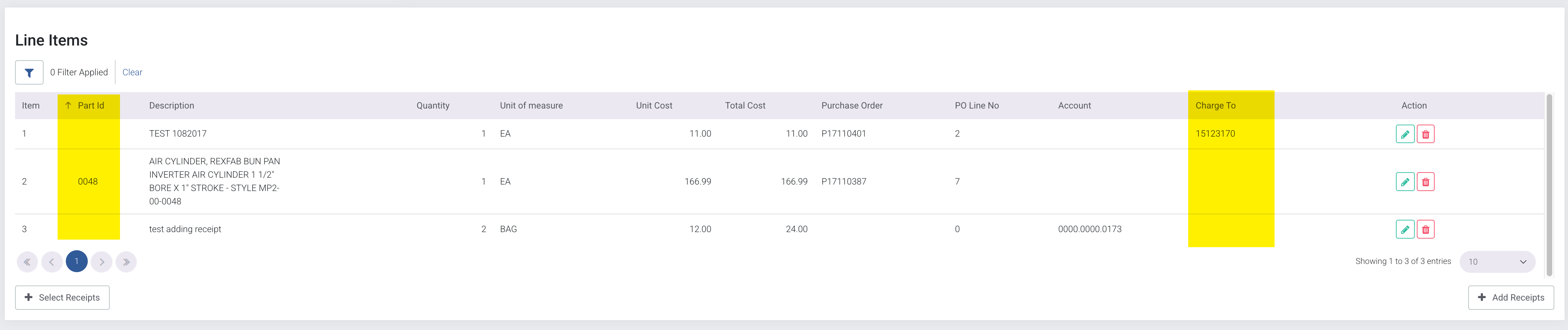
SOMAX has made a number of changes to the Invoice Match Line Item grid. This includes:
- Adding Part ID
- Adding Charge To
Reports and Analytics
New Analytics Dashboard
Added Work Order Palnning Dashboard to Analytics Section.
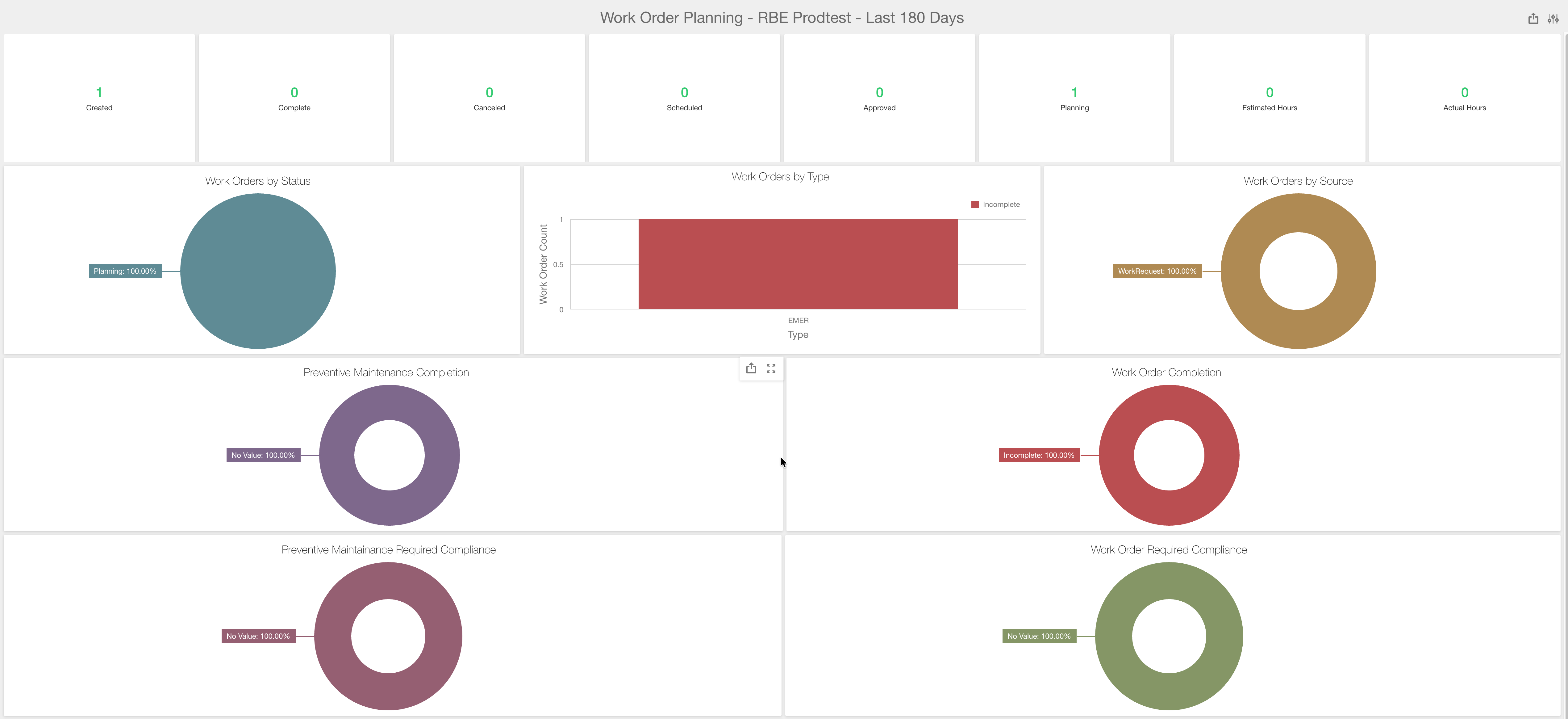
You can filter the work orders based on Created Date and Planner. The filter can include work orders created in the past 180 days.
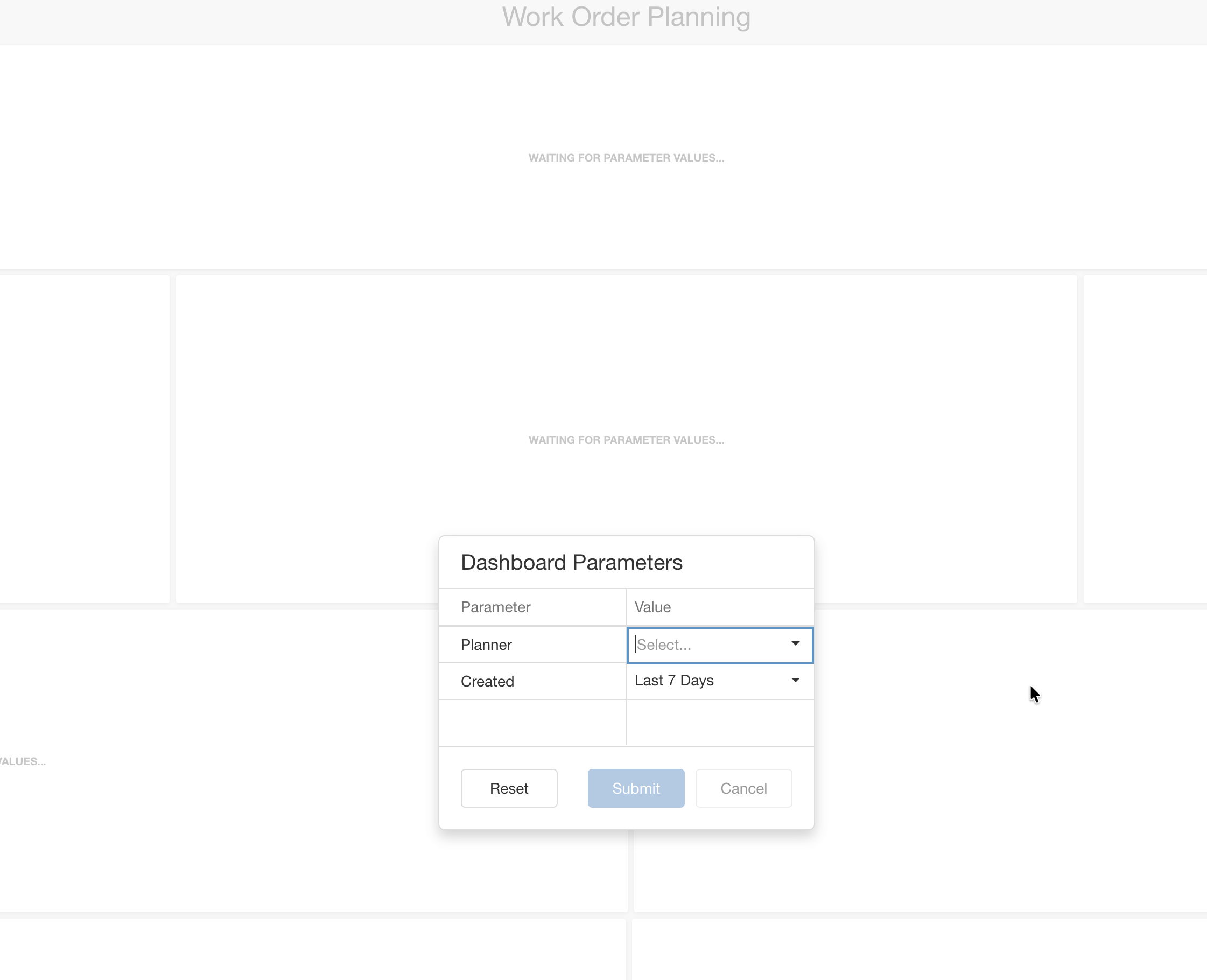
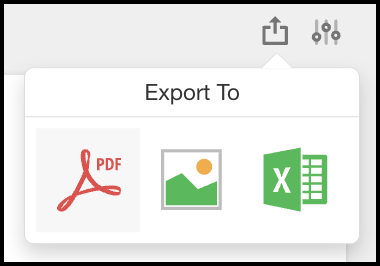
You can also export the dashboard to PDF, JPG, or Excel.
New and Updated Reports
- New Report - Work Orders - PM Percent Complete with Complete On Time and Late
- Updated Report - Work Orders - Work Order Material Request Pick List
Report displays only stock parts that are Approved from the Estimated Material Request parts list. - Updated Report - Purchasing - Purchase Order with Work Order and Account information
Added Work Order Status, Asset Location, Asset Group 1, Group 2 and Group 3
Bug Fixes and Small Enhancements
Work Orders
- Part Returns - Stopped non stock items from being return on work order.
- Purchase Request Display - Corrected situation where purchase request associated with selected work order is not displayed if purchase request is resubmitted for approval
- Material Request - Added Part Location for stock parts on material request grid
- Work Order Task Cancel Reason Issue - Corrected situation when you select an Active Work Order from the Asset Detail page then select the Tasks on the Work Order you are unable to select a Cancel Reason.
- Select All Task Issue - Corrected situation where selecting all tasks on a work order was not working correctly.
Preventive Maintenance
- Meters - Stop future date entries in Meter Readings
- Search - Corrected situation where filter was being removed when returning to search page from detail page
- Change PM Master ID - Stopped ability to enter in more than 31 characters when changing PM Master ID
- PM Generation - Correct situation where data is not displayed correctly when moving the search headers.
- with new section to show all Assigned Users and Estimated Hours for each scheduling record
Inventory
- Min/Max Validation - Stopped entry of minimum value greater than maximum value when adding or editing a part
- Added Previous Part ID to Part Search and Filter
- Added Unit of Measure (UOM) to Cycle Count Grid
- Vendors - Added lookup list description to Type and Terms columns on vendor view
- Multi Storeroom Transfers - Corrected display issues
- Multi Storeroom Part View - Added account to Part view on Detail page
Purchasing
- Required Date - Added Required Date on Purchase Request Line Item Edit page.
- Convert to Purchase Order - Changed how the convert to purchase order function operates from the Purchase Request Detail page. Now it only converts the selected purchase request.
- Changes to Charge Type and Charge To Access - Made the Charge Type and Charge To columns editable on purchase request and purchase order line items.
- Multi Storeroom Receipts - Corrected situation where error occurred while reversing a receipt
- Multi Storeroom Auto PR Generation - Corrected situation where Part Storeroom did not copy into purchase request storeroom column
- Receipt History - Change the Received By on the Receipt History grid from the user’s first name to the user’s full name
Projects
- Changed the Closed Search Grid View to show Cancelled Projects
System
- Added function to Change ID for Maintenance on Demand procedure
Santitation
- Create Work Request - Corrected situation where create work request function was using wrong lookup list for type.
Was this article helpful?
That’s Great!
Thank you for your feedback
Sorry! We couldn't be helpful
Thank you for your feedback
Feedback sent
We appreciate your effort and will try to fix the article