In Preventive maintenance you have the option to Inactivate the Entire PM Master and all the associated Schedule Records or you can Inactivate an individual Scheduling Record.
If you Inactivate the PM Master none of the associated Scheduling Records will create work orders durning PM Generation.
If you Inactivate a Scheduling Record the PM Master will generate work orders for any Scheduling Records that remain Active, but will not generate a work order for the Inactive Scheduling Record during PM Generation.
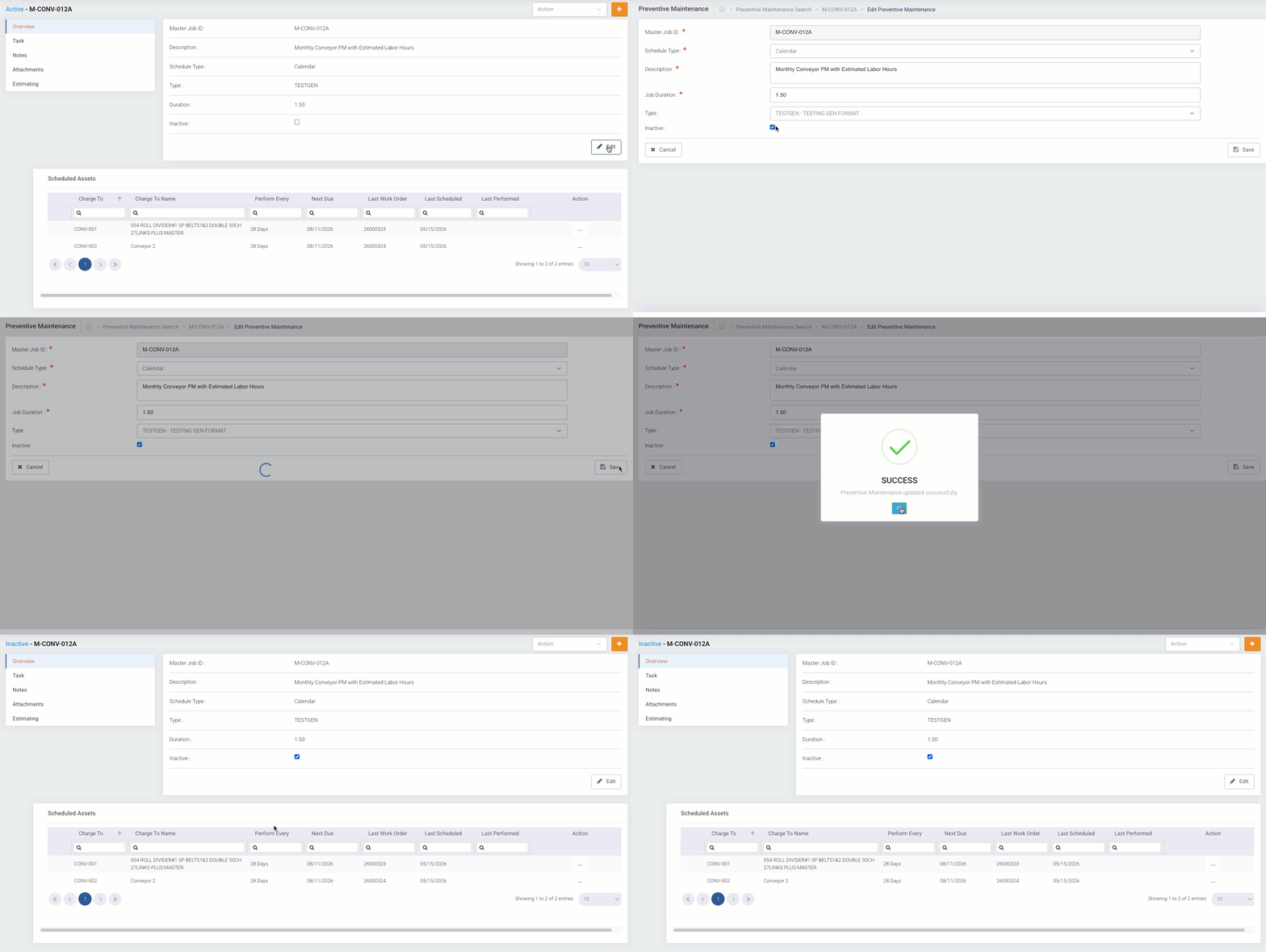
To Inactivate the Entire PM Master and associated Schedule Records
Navigate to the Preventive Maintenance Master Detail Page
- Select Edit
- Click on the Inactive Checkbox
- Select Save
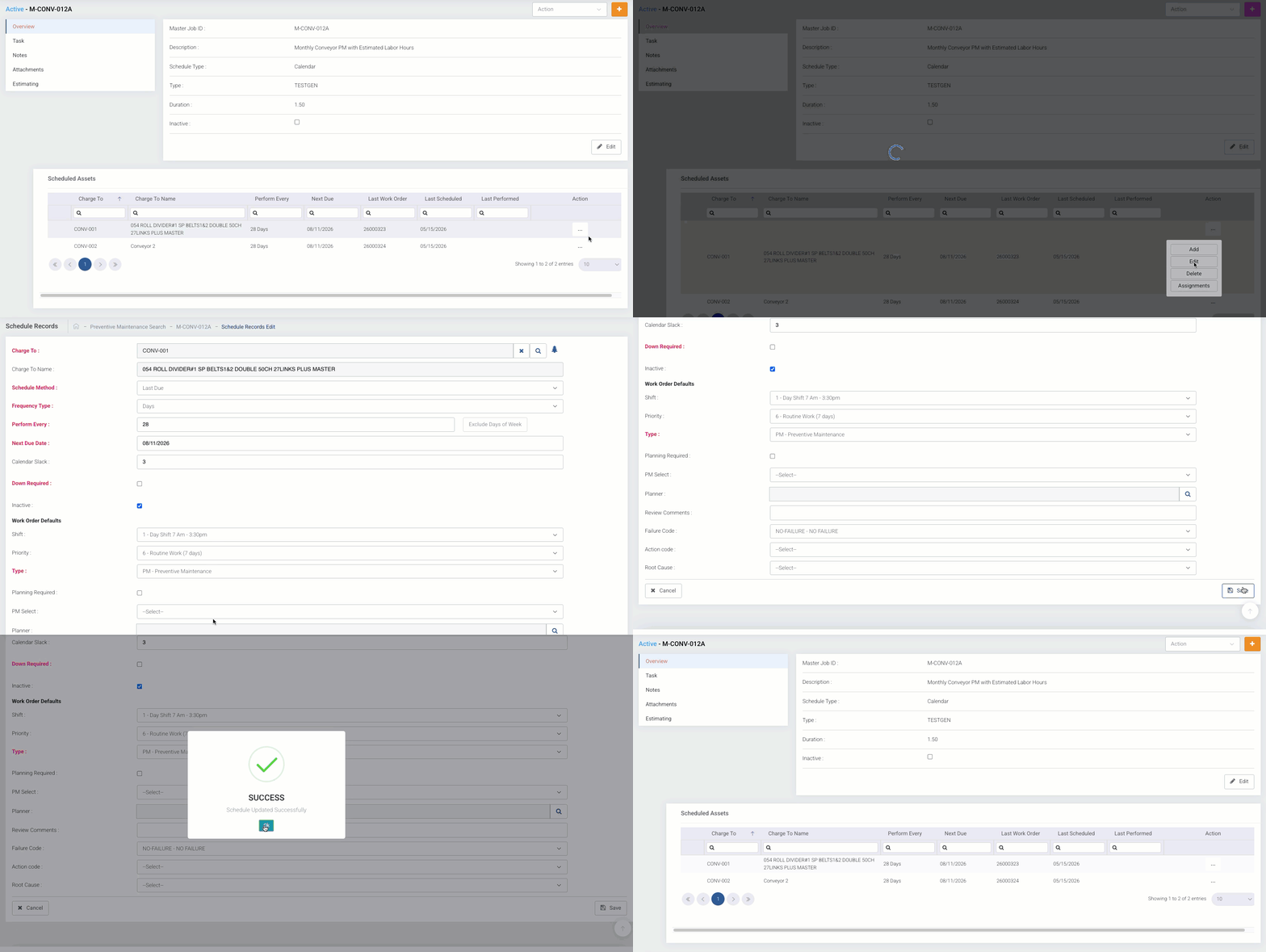
To Inactivate an individual Schedule Record
Navigate to the Preventive Maintenance Master Detail Page
- Select Edit from the Action Menu on the desired Schedule Record
- Click on the Inactive Checkbox
- Select Save
Was this article helpful?
That’s Great!
Thank you for your feedback
Sorry! We couldn't be helpful
Thank you for your feedback
Feedback sent
We appreciate your effort and will try to fix the article