Preventive maintenance or PM as it is commonly called, is a proactive type of maintenance that is designed to prevent equipment failures and enhance its efficiency and lifespan. SOMAX gives you the ability to add both Stock and Non Stock parts to your Preventive Maintenance jobs.
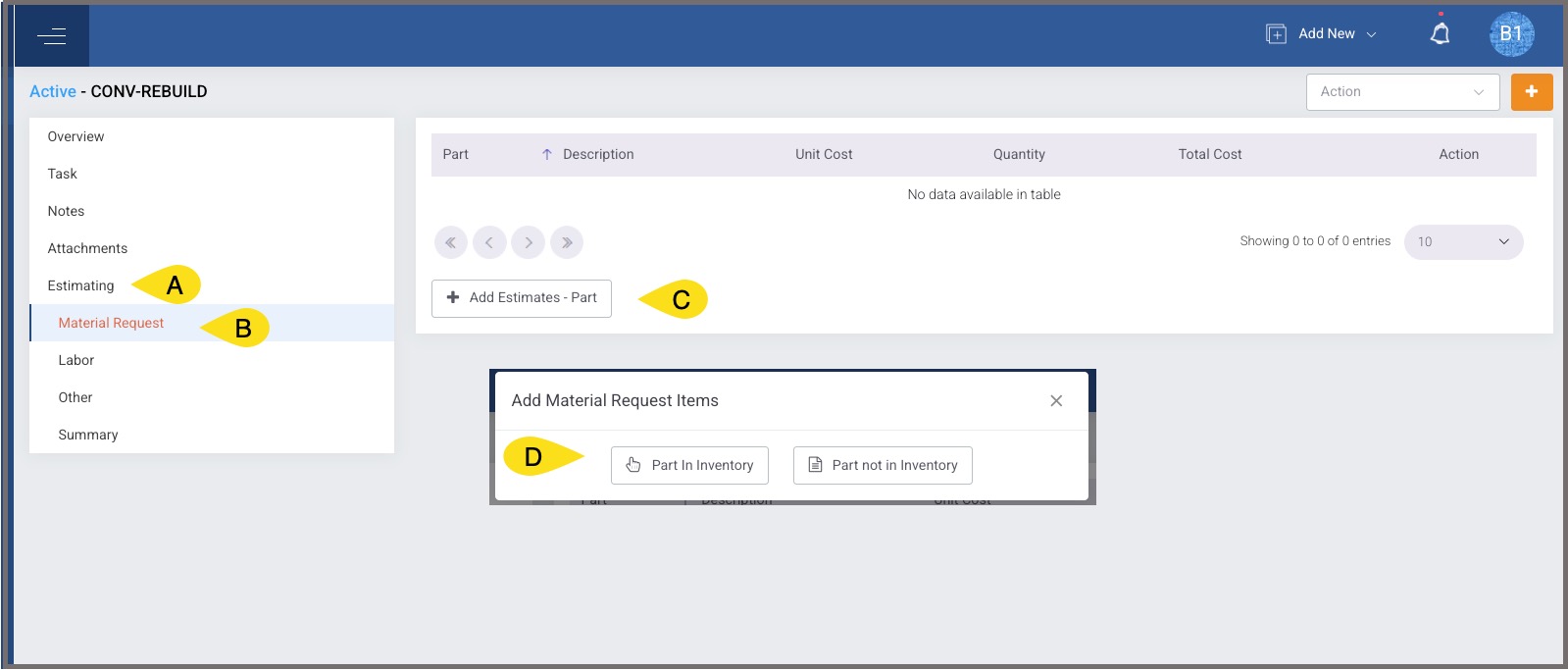
From the Preventive Maintenance Detail page
- Select Estimating
- Select Material Request
- Select Add Estimates - Part
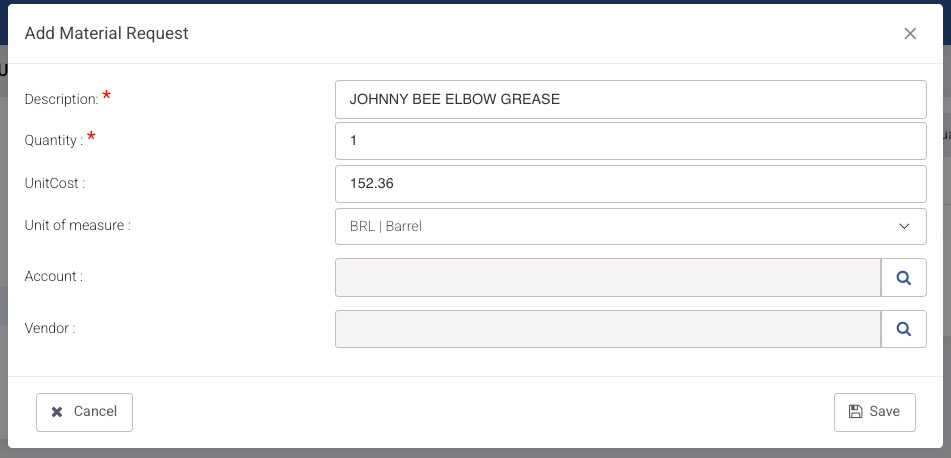
- Select Part In Inventory for Stock Parts or Part not in Inventory for Non Stock Parts
Part In Inventory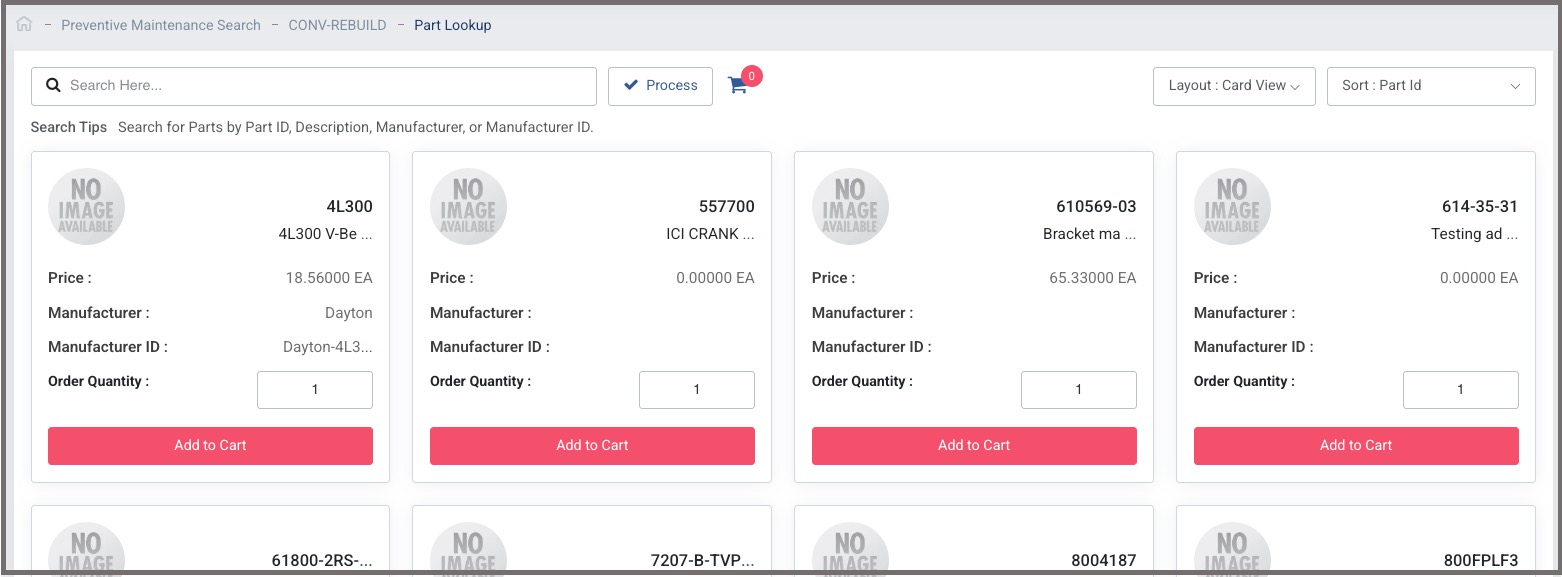
Part Not in Inventory
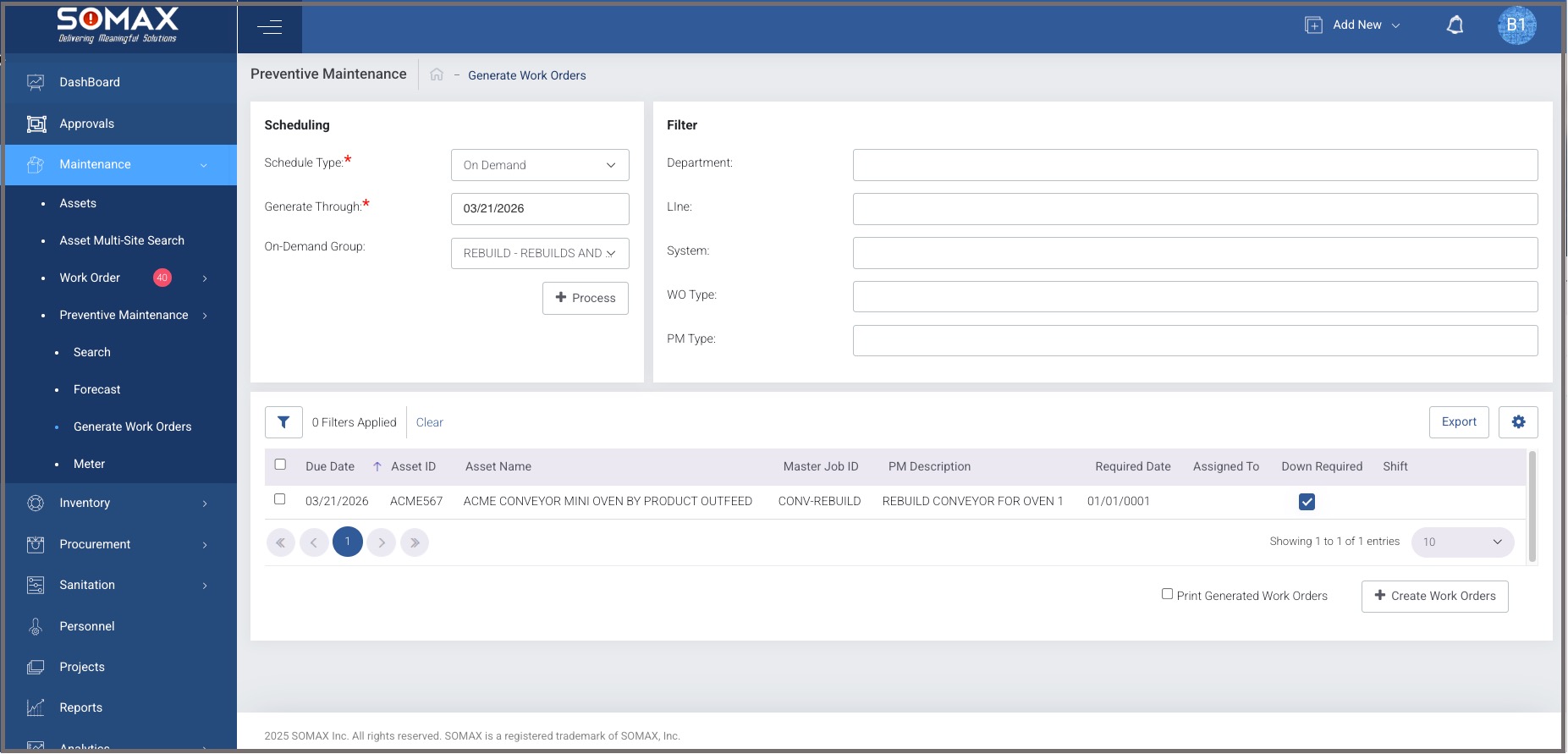
Generate the PM and create the Work Order(s)
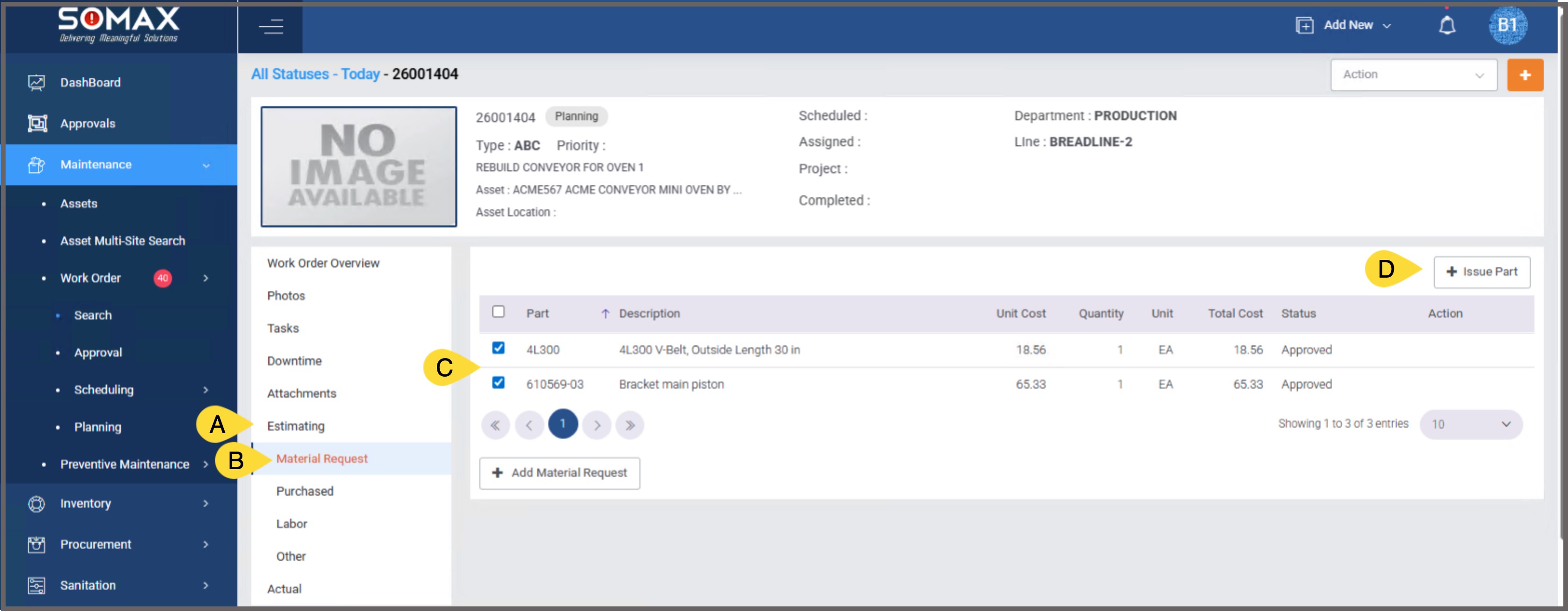
Issue the Stock Parts to the Work Order
From the Work Order Detail Page
- Select Estimating
- Select Material Request
- Select the Checkbox on the left of the part to be Issued (Stock Parts Only)
- Select Issue Part
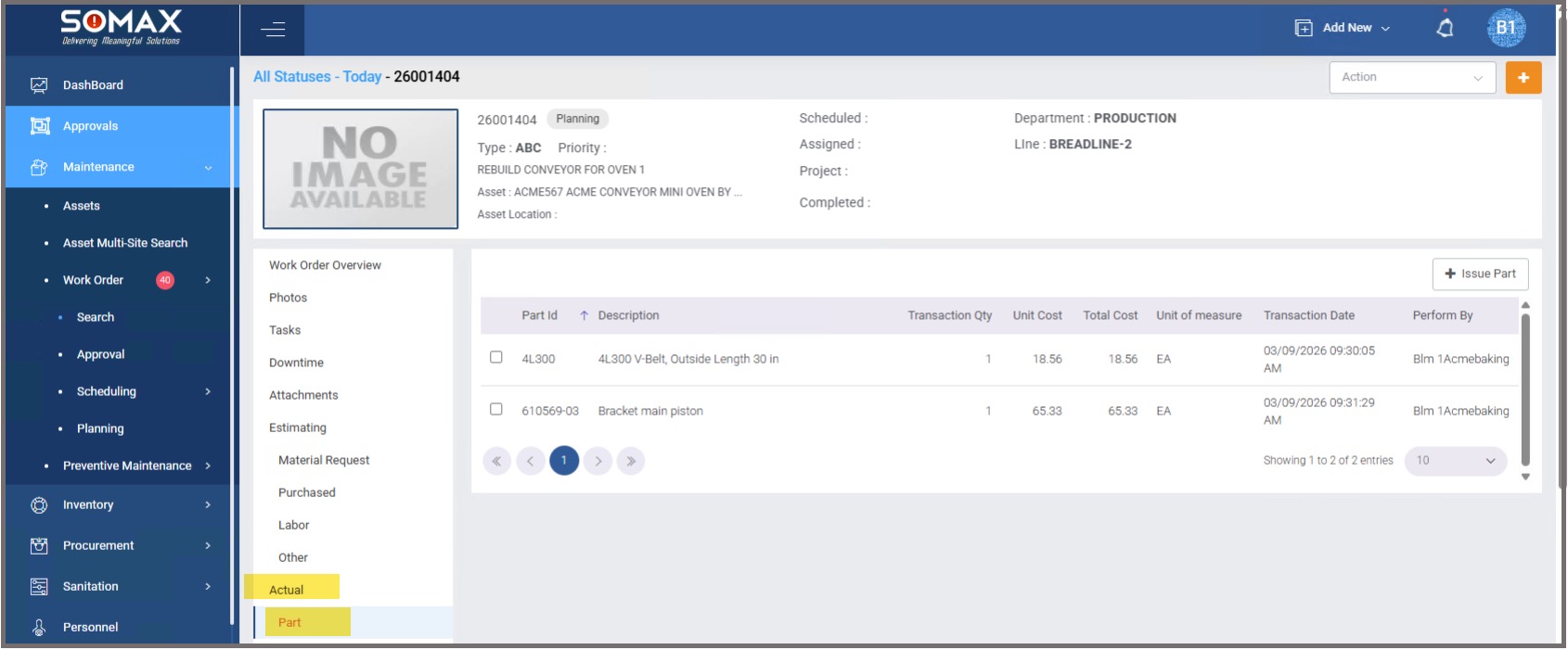
From the Work Order Detail Page
- Select Actual
- Select Part
The Issued Parts are displayed
Was this article helpful?
That’s Great!
Thank you for your feedback
Sorry! We couldn't be helpful
Thank you for your feedback
Feedback sent
We appreciate your effort and will try to fix the article